

Photogrammetry Accuracy Reports
1. Description
A photogrammetry accuracy report is a PDF document that provides information about image positions, camera calibrations, ground control points (GCPs), and checkpoint accuracy.
2. Access the report
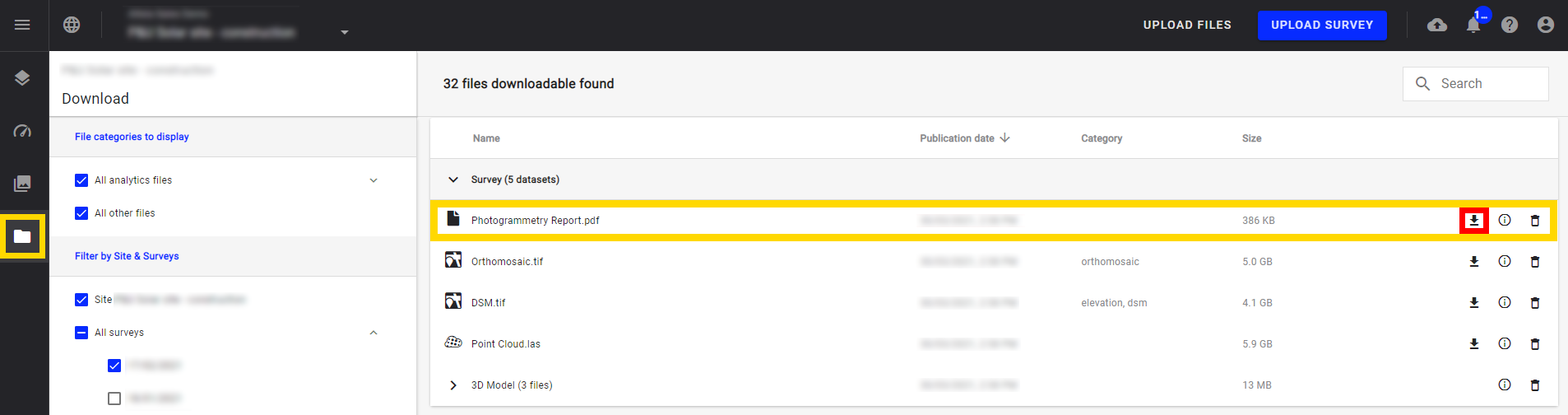
Step 1 - Click on the download button from the project navigation menu (framed in yellow below).
Step 2 - The download panel opens and each survey with a self-service photogrammetry process appears with a report.
Step 3 - Download the PDF report by selecting the download icon to the right of the report title (framed in red below).
The amount of information in the document varies depending on the type of sensors used.
3. Report Overview
The report is made of 4 main parts :
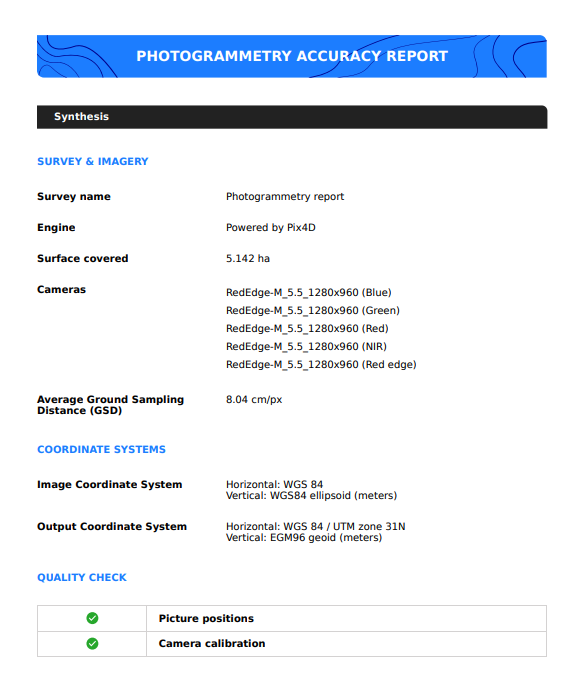
3.1. Synthesis
It presents a synthesis of the photogrammetry process : survey name, photogrammetry engine, covered surface, list of detected cameras, and the Ground Sampling Distance. It also gives information on the different CRS, and a basic quality check.
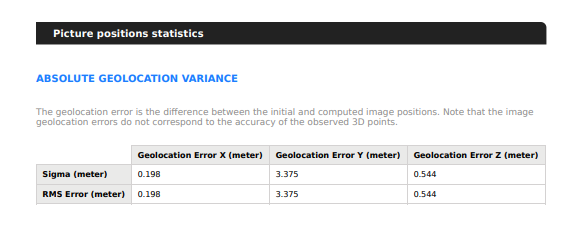
2. Picture positions statistics
This second part gives information on the geolocation of images, and corresponding errors.
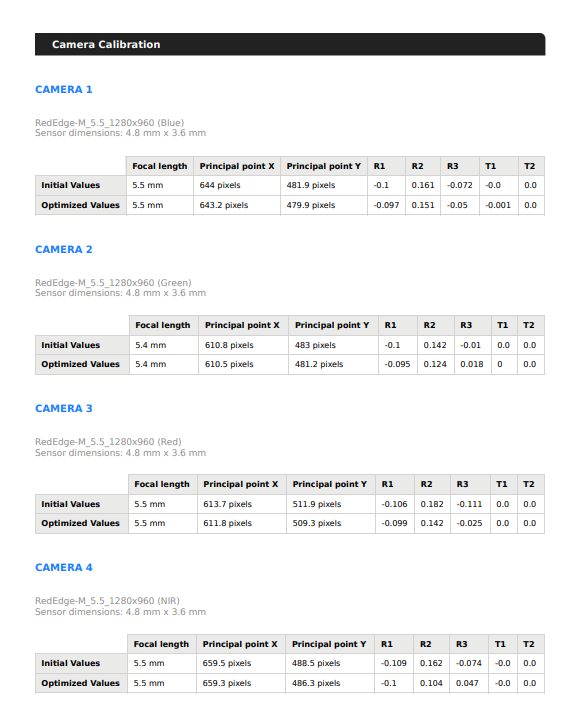
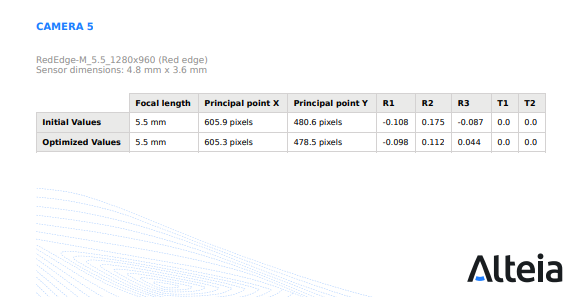
3. Camera calibration
The third part of the report indicates calibrated camera positions and corresponding errors.
4. Camera Radiometric Correction
The last part of the report details which type of radiometric correction has been applied. All radiometric correction types are described below.
There is one line per camera.
For each camera, there is also a "reflectance target" column, that indicates if the reflectance target has been used for reflectance calibration or not.

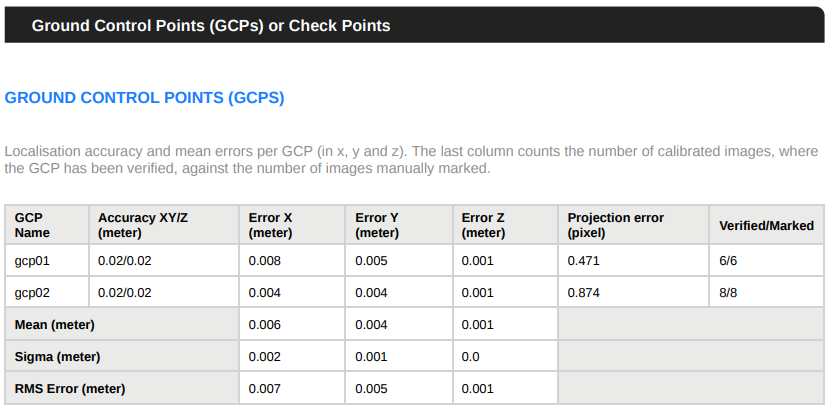
5. GCP
If GCP have been defined when launching the photogrammetry, there is also a part summarising the errors calculated on the position of each GCP.
For more information, see Quality Checks and Statistics.
